
Best Google Analytics Alternatives for 2026
Last Update: July 25, 2026 (new vendors, updated pricing and what I’m using)
Disclaimer: Pricing was accurate at the time of publication. Pricing can be fluid and I don’t keep up with every analytics platform out there. I do try to experiment with what I can, but I have not tried them all. Some descriptions do rely on vendor website positioning content but no vendor has paid for placement in this list. At the end of the article I’ll update you on what I’m using and why.
As an experienced digital marketer, I’ve watched the move away from Google Analytics go from a trickle to a steady stream. GA4 was the first real push. Many found it overly complex or lacking the user-friendly features they’d come to expect from Universal Analytics, and the great Polish referral spam event of February 2024 didn’t help matters.
2026 added a new wrinkle that has nothing to do with GA4 being frustrating. A meaningful slice of your traffic now arrives from AI assistants, and not every analytics platform is equipped to show you that.
In this post I’ll cover the platforms worth evaluating right now: Matomo, Clicky, Mixpanel, Fathom, Plausible, Independent Analytics, and a number of others, including several that either didn’t exist or weren’t on my radar the last time I updated this. I’ll also let you know what I’m running on my own sites and my clients’ websites.
The Big Change for 2026: AI Traffic
If you make one change to how you measure your site this year, make it this one.
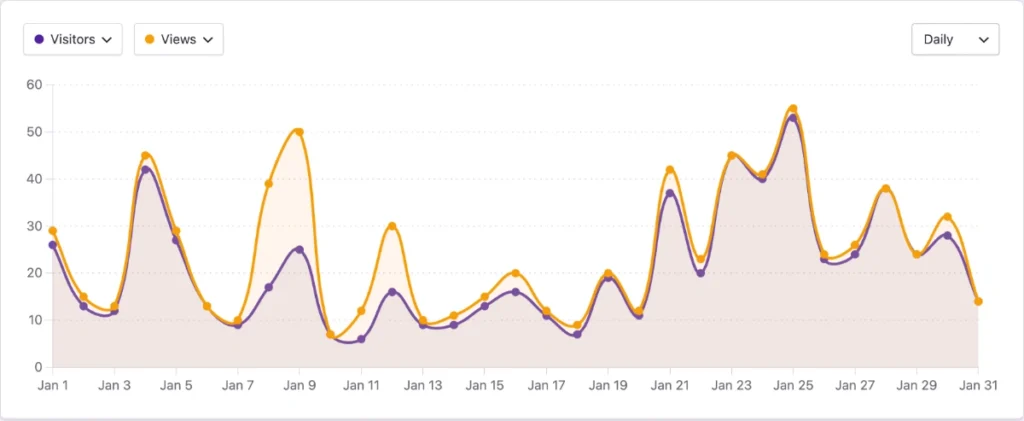
Traffic from AI assistants is no longer a rounding error. Plausible reported a 2,200% year over year increase in AI referral traffic across their network. A Previsible study that analyzed 6.77 million LLM-driven sessions across 166 GA4 properties found 9.9x growth between November 2024 and May 2026, with ChatGPT accounting for roughly 92% of trackable LLM referrals. Claude grew 64x over that window and passed Perplexity in March 2026. Gemini sits in a quiet second place. Perplexity peaked back in March 2025 and has fallen well off that high, and Copilot has almost entirely collapsed from its own peak.
The raw volume is still small next to organic search for most sites. The intent is not. These visitors arrive having already read a summary of your page and decided to click through anyway, and they tend to convert better than ordinary referral traffic.
Google finally addressed this on May 13, 2026, when GA4 began classifying AI assistant traffic as its own channel. ChatGPT, Gemini, and Claude were named at launch, and the change reached most properties by early June. Matomo goes a step further, with reports that separate non-human LLM crawler hits from genuine human referrals out of an AI interface.
Here’s the catch nobody puts in the press release. A lot of AI apps, especially on mobile, strip the referrer header. Those visits land in your Direct bucket and you’ll never know they came from an AI tool. UTM parameters help, and ChatGPT Search has started auto-appending some, but there’s no clean fix. Assume your AI numbers are undercounting.
So when you evaluate a platform this year, ask whether it breaks AI traffic out on its own. GA4 and Matomo both do it explicitly. Most of the lighter weight tools will simply show you chatgpt.com and perplexity.ai as ordinary referrers, which works fine as long as you know to go looking for them.
Google Analytics Alternatives
Matomo
Matomo stands out for its commitment to user privacy and data ownership. It’s an open-source platform, allowing for extensive customization and integration, and it’s been around since 2007, back when it was called Piwik. Users appreciate its comprehensive feature set, which includes everything from heatmaps to A/B testing, and it carries approval from France’s CNIL, which is part of why it shows up so often at universities and government agencies. The interface may still feel dated to some, and the self-hosted version requires technical acumen to set up and maintain.
Two things are worth knowing before you commit. First, Matomo Cloud prices on hits, not pageviews. A hit is any tracked action: a pageview, an event, a download, an outbound click, a site search. A content site with modest event tracking can easily generate two or three hits per pageview, so a 50,000 hit allowance disappears faster than you’d expect. Second, the Google Analytics importer will bring your historical reporting data over, but it imports aggregated data only. It won’t recreate raw user and event history, which limits the Visitor Log and segmentation for the imported period. Run both in parallel for a while before you switch.
On-premise is free. Cloud starts at $26 per month for 50,000 hits depending on billing terms. Link: Matomo
Clicky
Clicky offers real-time analytics in an intuitive interface, a hit among small to medium-sized website owners. Its direct and straightforward presentation of data, alongside features like heatmaps and uptime monitoring, makes it a practical choice. It’s also one of the few tools in this roundup that still shows individual visitor-level detail rather than aggregate-only reporting, which is worth knowing if that’s something you miss from the Universal Analytics days. For larger enterprises or those needing in-depth analytical capabilities, Clicky might fall short. The service is free for one website, with premium features available starting at $9.99/month.
Link: Clicky
Mixpanel
Mixpanel’s event-based analytics provide profound insights into user interactions, making it ideal for detailed behavioral analysis. It’s worth being clear about what it is, though. Mixpanel is product analytics, not web analytics. If what you want is “which blog post got the most traffic last month,” this is the wrong tool and you’ll find it frustrating. If you’re trying to understand how someone moves through a signup flow, it’s excellent. Its advanced features cater well to tech-savvy users, though they come with a learning curve and a steeper price point. Pricing starts with a free tier and scales on events from there.
Link: Mixpanel
Fathom
Fathom Analytics prioritizes simplicity and privacy, offering a streamlined, cookie-less tracking system that’s fully compliant with various data protection regulations. While its user-friendly dashboard is a boon for beginners, advanced users might find its capabilities limited.
Pricing has moved since my last update. It now starts at $15/month for up to 100,000 page views. The detail that makes that more reasonable than it first looks: every plan includes at least 50 sites, with additional sites available in packs of 50 for $10/month. For anyone managing a portfolio of client sites, that math works out very differently than a per-domain tool does. Data retention is forever while you’re a customer, and uptime monitoring is included rather than sold as an add-on. It isn’t self-hostable, which is the main trade-off against Plausible or Matomo.
Link: Fathom Analytics (this is an affiliate link, you get a $10 discount on your first month).
Non-Affiliate Link: Fathom Analytics
Plausible
Like Fathom, Plausible focuses on privacy and simplicity, providing a lightweight solution that eschews the use of cookies. The script is under 1KB gzipped, it’s built in Estonia, and it’s hosted on EU infrastructure. It’s an excellent choice for those who want straightforward, no-frills analytics, though its feature set might not suffice for more detailed analytical needs.
Two things have changed. Pricing now scales on combined pageviews and custom events rather than pageviews alone, so heavy event tracking will move you up a tier faster than you’d expect. And the self-hosted version is now branded Community Edition, with a genuinely reduced feature set compared to the cloud product. “Just self-host it for free” isn’t quite the promise it was a couple of years ago.
Pricing starts at $9/month for up to 10,000 monthly page views. The Business tier at $19/month adds funnels, ecommerce revenue tracking, and API access. There’s no free plan, but there is a 30 day trial with no credit card required.
Link: Plausible
Independent Analytics
Tailored for WordPress users, Independent Analytics integrates seamlessly into the WP dashboard, offering a user-centric and privacy-focused analytics solution. All data is created and stored in your own WordPress database with no communication to outside servers and no cookies, which makes for about the cleanest compliance story available.
It’s grown up considerably since I first wrote about it. The plugin is now on 100,000+ active installs with a 4.8 out of 5 rating, and recent releases added User Journeys to the Pro version, giving you full session timelines including clicks, form submissions, and eCommerce orders. Native form tracking now covers MC4WP, Kadence Blocks, Newsletter, and Everest Forms. It’s built by Ben Sibley and Andrew Mead out of Philadelphia.
Basic is Free. Pro at $49/year + volume discounts available.
Link: Independent Analytics
Simple Analytics
Simple Analytics is celebrated for its staunch commitment to privacy, making it a standout choice for companies of all sizes seeking a privacy-first analytics tool. The platform is cookieless, ensuring compliance with stringent privacy regulations like GDPR, PECR, and CCPA. Its user-friendly interface and lightweight nature make it accessible, although its feature set might be perceived as limited due to its privacy-centric approach. Pricing starts around $9 to $10 per month with annual billing on the Starter plan and scales up through business tiers, with an Enterprise option available for larger needs.
Link: Simple Analytics
Umami Analytics
Umami Analytics emphasizes simplicity and privacy, offering straightforward, easy-to-understand insights into website traffic and user behavior without cookies or invasive tracking. I left this entry vague last time, so here are the actual details.
Umami is MIT licensed, which is more permissive than the AGPL that Plausible and several others use. That matters if you’re embedding analytics into something commercial. Self-hosting is genuinely simple by the standards of this category: a single Docker container backed by PostgreSQL or MySQL, no ClickHouse required. The tracking script is around 2KB.
The cloud offering has a real free tier rather than a trial. The Hobby plan covers 100,000 events per month across 3 sites with no credit card required, and paid plans start around $9/month. Funnels, retention cohorts, and user journey reports are included on every plan, which is more than Plausible offers at any tier. The dashboard is denser and a little less polished than Plausible’s, which is the honest trade-off. Link: Umami Analytics
Koko Analytics
Koko Analytics offers a straightforward, privacy-focused analytics solution, particularly appealing to WordPress site owners. It provides basic site metrics, such as visitor counts, page views, and referrer data, without relying on external services. This ensures data privacy and compliance with GDPR, as all data is stored locally on your server. Koko is known for its ease of installation and use, making it a suitable option for those who want a no-frills, self-contained analytics tool for their WordPress website. It’s aggressively, deliberately minimal. If you want to know how many people read your blog post and where they came from, it does that and then stops.
Link: Koko Analytics
SealMetrics
Seal Metrics is a privacy-first analytics platform offering cookieless, consentless tracking that captures 100% of your traffic, including the visitors who reject cookies and disappear from other tools. Setup is quick, the reports are actionable, and it integrates with BigQuery alongside a full API.
Fair warning if you read the earlier version of this post: the pricing has changed dramatically. The €29/month entry point is gone. Paid plans now start at €499/month billed annually, or €599/month if you pay month to month, for 5 million human events. The Scale tier runs €899/month annually. This is squarely an enterprise eCommerce and travel product now, and the customer logos on their site reflect that.
What’s new and genuinely interesting is a free Agentic tier covering up to 1 million human events total. You provision it through an MCP server from Claude or another AI assistant rather than a normal signup flow, and it includes the full dashboard with unlimited sites and users. If you want to try consentless tracking without a sales call, that’s a real option.
Two details worth knowing if you do evaluate it. Billing counts human events only, so traditional bots are filtered out and AI agent traffic from ChatGPT, Claude, and Perplexity is tracked separately without counting against your limit. And because they capture the consent-rejected traffic GA4 never sees, they tell you to estimate your real volume at two to three times whatever GA4 currently reports, which matters a great deal when you’re choosing a tier.
Link: SealMetrics
New Additions for 2026
These either launched since my last update or have earned their way onto the list.
Rybbit
The most interesting new entrant by a wide margin. Rybbit is open source under AGPL-3, launched in April 2025, and has since crossed 11,000 GitHub stars with several thousand organizations using it. That’s fast growth for a project built by essentially one indie developer.
What makes it worth your attention is the feature-to-price ratio. Session replay, funnels, retention, user journeys, Core Web Vitals, and error tracking all ship out of the box, which is territory Plausible and Umami deliberately stay out of. It’s cookieless with no fingerprinting, EU hosted, and self-hostable via Docker if you’d rather run it yourself.
There is a free 7 day trial with pricing starting at $13/month (billed Annually). At the time of publication there is a $59 lifetime plan available on AppSumo.com.
AppSumo Affiliate Link: Rybbit
Non-Affiliate Link: Rybbit
Burst Statistics
If you like Independent Analytics, you should know about Burst, because it’s the closest thing to a direct competitor and it’s running on 200,000+ WordPress sites. It’s built by the Team Updraft crew, the same people behind UpdraftPlus, WP-Optimize, and All-In-One Security, so it comes from a shop with a long WordPress track record.
Same core philosophy as Independent Analytics: privacy first, WordPress native, data stays in your own database, no external accounts. Burst differentiates on deeper UTM and goal tracking, WooCommerce revenue analytics, real-time stats, email reports, and agency-tier reporting. Free with a Pro version available.
Worth installing both on a test site and seeing which dashboard you’d rather explain to a client. They’re close enough that it comes down to taste. Link: Burst Statistics
Pirsch
A German-built, cookie-free platform that solves a problem the rest of this list mostly doesn’t. Pirsch offers server-side tracking, which makes it very difficult for ad blockers to stop, so your numbers land closer to reality than a JavaScript beacon can manage. It also has solid white-label capabilities, which is why it’s popular with agencies. Entry pricing is among the lowest in the category, in the $5 to $6 per month range, with funnels and revenue tracking gated to the Plus tier and on-premise available at the enterprise level. Link: Pirsch Analytics
Cloudflare Web Analytics
Free, and quite possibly already running on your sites without you realizing it. As of October 15, 2025, Cloudflare began enabling Web Analytics by default on free domains. It leans toward performance monitoring, meaning Core Web Vitals, load times, and real-user measurement, more than it does marketing analytics, and it collects no personal data. Note that the default-on behavior doesn’t apply to traffic originating in the EU or UK.
It isn’t going to replace a proper analytics platform, but as a free baseline that requires zero setup, it’s hard to argue with. Link: Cloudflare Web Analytics
PostHog
Full product analytics with a genuinely generous free tier at 1 million events per month, including session replay and feature flags alongside the analytics. The learning curve is steep and it’s aimed squarely at product teams rather than marketers, so this sits in the same “over the head of most of my audience” category as Adobe Analytics. But if you have a client building a SaaS product, it belongs on their shortlist. One caveat: full self-hosting is now community-build-only and missing some cloud features, so treat the hosted version as the real product. Link: PostHog
Piwik PRO
The enterprise cousin of Matomo, from a separate company with shared ancestry. Built for government, healthcare, finance, and other regulated industries with strict data residency and compliance requirements, with EU hosting available. If a client’s legal team has opinions about where analytics data physically lives, this is the conversation to have. Link: Piwik PRO
Also Worth a Look
A few more I’d keep an eye on without giving each a full write-up:
- Microsoft Clarity. Free heatmaps and session recordings. Not a replacement for a traffic tool, but an excellent free layer to run alongside one.
- WP Statistics. Long-standing WordPress plugin with a wide feature set. Premium add-ons run $119 to $449 per year depending on site count. Powerful, though a lot of users find the interface cluttered.
- Seline, OpenPanel, Swetrix, and Vemetric. Newer privacy-first entrants, all worth watching.
- GoatCounter. The minimalist’s minimalist. Free, open source, and intentionally limited to pageviews, referrers, and browsers.
Pros and Cons Comparison
| Analytics Tool | Pros | Cons | Pricing |
|---|---|---|---|
| Matomo | Full data ownership, extensive features, CNIL approved | Interface can feel outdated, setup complexity for self-hosted, priced per hit rather than pageview | Free (self-hosted), Cloud from $26/month |
| Clicky | Real-time data, user-friendly, visitor-level detail | Less suitable for large enterprises | Free for one website, premium from $9.99/month |
| Mixpanel | Detailed user interaction insights, predictive analytics | Product analytics rather than web analytics, steeper learning curve | Free tier, then scales on events |
| Fathom | Simplicity, privacy-focused, 50+ sites included, forever retention | Limited in-depth analytics, not self-hostable | Starts at $15/month |
| Plausible | Privacy-centric, lightweight, EU hosted | Basic feature set, no free plan, Community Edition is reduced | Starts at $9/month, Business from $19/month |
| Independent Analytics | WordPress integration, privacy-focused, User Journeys in Pro | Limited to WordPress | Free, Pro $49/year |
| Burst Statistics | WordPress native, strong UTM and WooCommerce reporting | Limited to WordPress | Free, Pro version available |
| Simple Analytics | Privacy-focused, cookieless, lightweight script | Limited features due to cookieless approach, not very customizable | Starts around $9 to $10/month annually |
| Umami Analytics | Real free cloud tier, MIT license, easy to self-host | Denser interface, fewer integrations | Free (self-host or Hobby tier), paid from about $9/month |
| Rybbit | Session replay, funnels, and web vitals at a low tier, open source | Young project, pricing still moving | Free trial, paid from about $13/month |
| Koko Analytics | Privacy-focused, straightforward, self-contained | Basic functionality, primarily for WordPress | Free, specifically designed for WordPress |
| Pirsch | Server-side tracking beats ad blockers, white label | Smaller feature set, less known in the US | From about $5 to $6/month |
| Cloudflare Web Analytics | Free, zero setup, may already be running | Performance focused, thin on marketing metrics | Free |
| PostHog | 1M events free, session replay and feature flags included | Steep learning curve, built for product teams | Free tier, then per event |
| SealMetrics | Captures 100% of traffic, consentless, free Agentic tier | Paid tiers are now enterprise priced, far beyond most small businesses | Free up to 1M events, then from €499/month annually (€599 monthly) |
Why This Matters More If You’re in the US
I’ve historically framed this conversation around GDPR, which is a little odd given that nearly all of my clients are American. The US picture has changed enough that it deserves its own section.
As of March 2026, twenty states have enacted comprehensive privacy laws, with Indiana, Kentucky, and Rhode Island all taking effect on January 1, 2026. None of them require EU-style opt-in consent banners, since the US model is opt-out. But roughly eleven states now require you to honor Global Privacy Control, a browser signal that broadcasts a user’s opt-out preference. When a visitor’s browser sends GPC, you have to treat it as a valid opt-out across cookies, pixels, and third-party integrations, whether or not they ever touched your banner. California went further for 2026 and added a visible confirmation requirement, meaning you now need to actually show the user that their opt-out was honored.
Separately, and more urgently for small businesses, there’s been a wave of CIPA-based demand letters going out to US companies over website tracking technology, with settlement demands typically landing somewhere between $5,000 and $50,000. The argument is that deploying tracking without prior consent amounts to unlawful eavesdropping. Whether that argument ultimately holds up is a question for attorneys, but the letters are real and they’re going to businesses that are not large.
None of this is legal advice and I’m not a lawyer. But it does change the calculus. A cookieless, first-party tool that stores data in your own database is a materially simpler compliance story than a third-party tag firing before anyone clicks anything, and that’s a case you can now make to an American client without invoking European regulations they don’t believe apply to them.
What Am I Using For Website Analytics?
My 2025 Update:
I currently host and/or manage about 200 websites for my clients and a couple dozen for my own personal usage. The majority of those are still using Google Analytics, and truth-be-told, most of them aren’t the type to be measuring anything. In fact, it wouldn’t shock me to see that most of them never converted to GA4 and aren’t currently recording data.
Of my active clients who do measure analytics, they have universally stuck with Google GA4, often times with me, or internal staff, creating custom views with Looker Studio. I do have a couple of clients who use Adobe Analytics, but I figured that was over the head of most of my audience.
For my new clients, I’ve been installing Independent Analytics and have been quite happy with the dashboard available within the WordPress Admin. Most of my clients would be categorized as small to medium size businesses, and are using WordPress, and that fits right in nicely for giving them a very nice overview of their stats.
For my personal sites, I’ve kept GA4 installed simply for the Looker Studio connections. But I also have a healthy installed base of Fathom Analytics, as you can see by viewing the source on this site. When I spin up personal projects, I’ve been leaning towards Independent Analytics most often.
My 2026 Update:
I’m now managing a combined 300 websites between clients, my hosting business and personal projects. Google Analytics is only set up by request. Every single one of my personal sites uses Independent Analytics by default. I also use Fathom quite a bit on personal sites as well.
The biggest issue I see with my marketing clients is that most of them are too busy to really care. If I have custom Google Data Studio reports, I tend to stick with GA4 for the convenience. For my hosting clients I tend to stick with what they were using before migrating their site. If they are a new site, I’ll offer up GA4 and Independent Analytics. That usually holds them over until they decide what they really want to, or need to, measure.
What are you using? Hit me up on the contact form if there are any others that I should be looking at, or if you are an analytics provider and want to give me an overview of your platform.